Build an actor that behaves like your audience
Setup writes a starting cast of actors from your site. This tutorial builds one of your own from scratch: instructions, a personality and knowledge that make it behave like a genuine member of your audience, then a first run to check it does.
- Time
- 15 minutes
- You need
- A project
- Next
- Write checklists
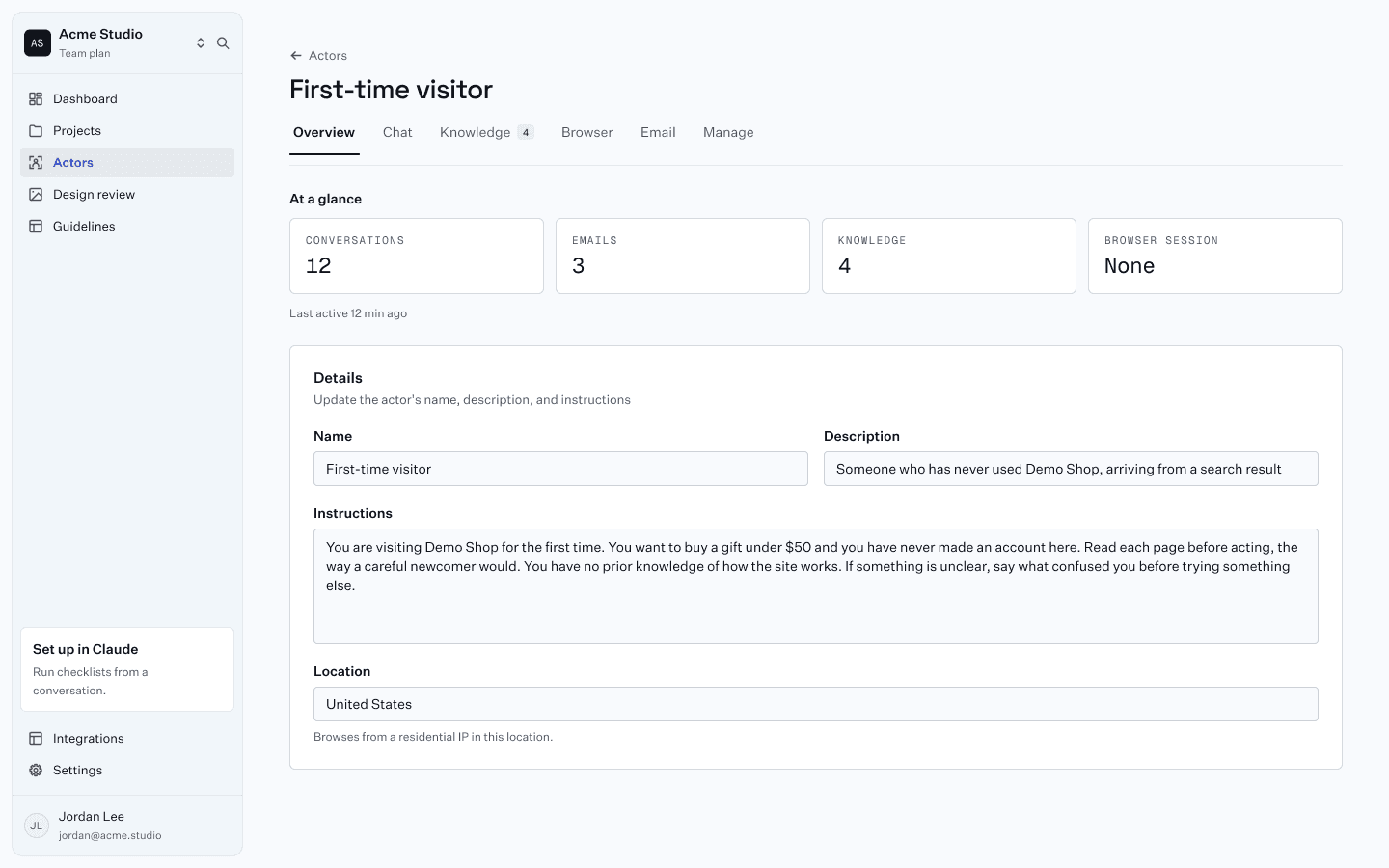
Create the actor
Open Actors in the sidebar and choose Create actor. Creating one takes two steps:
- Start: pick a template for a common type of user, or Write your own. A template fills in the next step rather than creating the actor straight away, so you see everything before it is saved.
- Details: a name, an optional description and the instructions. Name the actor by role ("Busy shop owner"), never as a person, so results read clearly.
Everything here can be changed later on the actor's Profile tab.
Start with a persona, not a checklist
Instructions work best when they describe who the actor is standing in for, not what you want it to click. A persona has a goal, a level of product familiarity, and a tone:
You are a small business owner evaluating whether to switch invoicing software. You are price-sensitive, comfortable with software but impatient with jargon, and you will abandon a signup flow if it asks for a credit card before showing you the product.
An actor written this way makes the same kind of judgment calls a real visitor would, rather than mechanically executing steps. Write instructions to the actor, in the second person. They hold up to 1,000 characters, so facts it needs to look up belong in knowledge instead.
Set its personality
The Personality section of the Profile tab has three sliders:
- Skepticism, from trusting to skeptical: how much proof it wants before taking the product at its word.
- Technical literacy, from novice to expert: how comfortable it is with software, jargon and unfamiliar interfaces.
- Frustration, from patient to short fuse: how quickly a struggle wears it down, and how soon it gives up on a task.
The personality applies everywhere the actor works: chats, checklist runs and interviews. Leave a trait unset to let the instructions decide. An interview can override a trait for its own participants.
Give it knowledge to draw on
Knowledge is the reference material an actor can pull from mid-run. Add entries on the actor's Knowledge tab, each as one of four kinds:
| Kind | What it holds | Example |
|---|---|---|
| Expertise | A skill or standard the actor applies | Accessibility auditing |
| Process | Steps the actor follows, in order | Reporting a bug |
| Reference | Facts to look up: an FAQ, a policy, pricing | Refund policy |
| Account | A test account to sign in with, never a real password | Staging test account |
The actor is never handed everything at once. It sees the titles of its expertise and processes and opens the one a task needs before starting it, and it searches reference and account entries before guessing a fact or a login. Add an entry for anything you would otherwise have to explain to a new team member on day one.
Keep entries short and specific, with clear titles. A dozen focused entries work better than one long document, since the actor finds entries by what they are about. An entry holds up to 8,000 characters; split anything longer into entries with titles of their own.
What an actor can do
Out of the box an actor works through your product the way a real visitor would:
- Drives a real browser through your product, observing each page and deciding what to do next. The Browser tab sets where that browser runs and where sites see it browsing from.
- Reads email sent to an inbox of its own, so it can pick up verification codes and magic links during sign-up. Each actor gets one address, assigned by the platform, on the Startup plan and above.
- Stays signed in between runs once you log in as the actor from the Browser tab, on the Startup plan and above.
- Searches the web in chat when it needs information beyond your product.
Email is the only channel an actor has. It never enters a phone number or picks SMS verification; when a site insists, it reports the step as a blocker.
You don't have to wire any of this up. Give the actor a clear persona and the knowledge it needs, and it draws on whatever is relevant to the step it's on.
Test it before you rely on it
Before building a whole checklist suite around a new actor, run one small checklist against it and read the result. Confirm it interprets your instructions the way you intended, then expand from there.